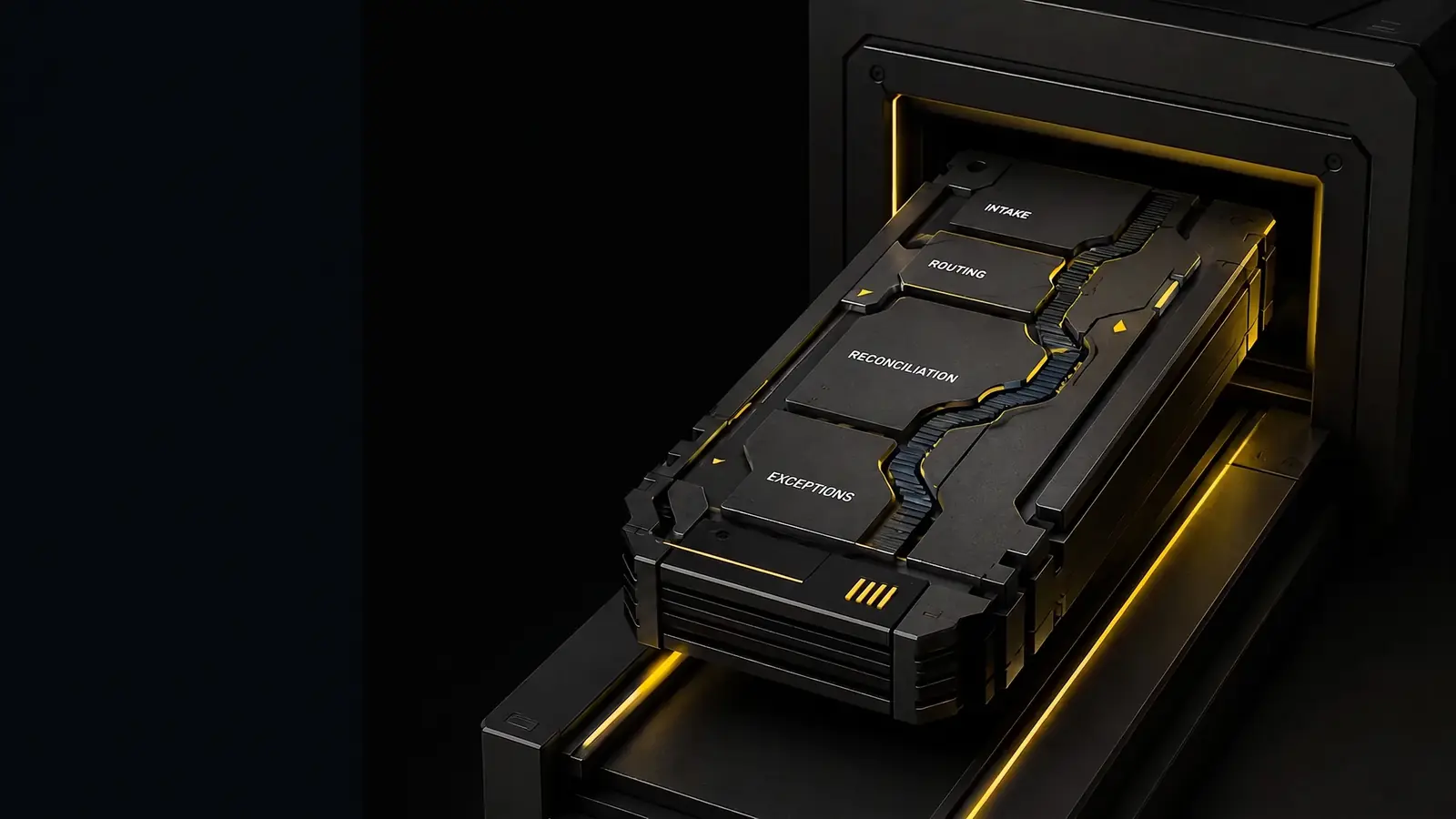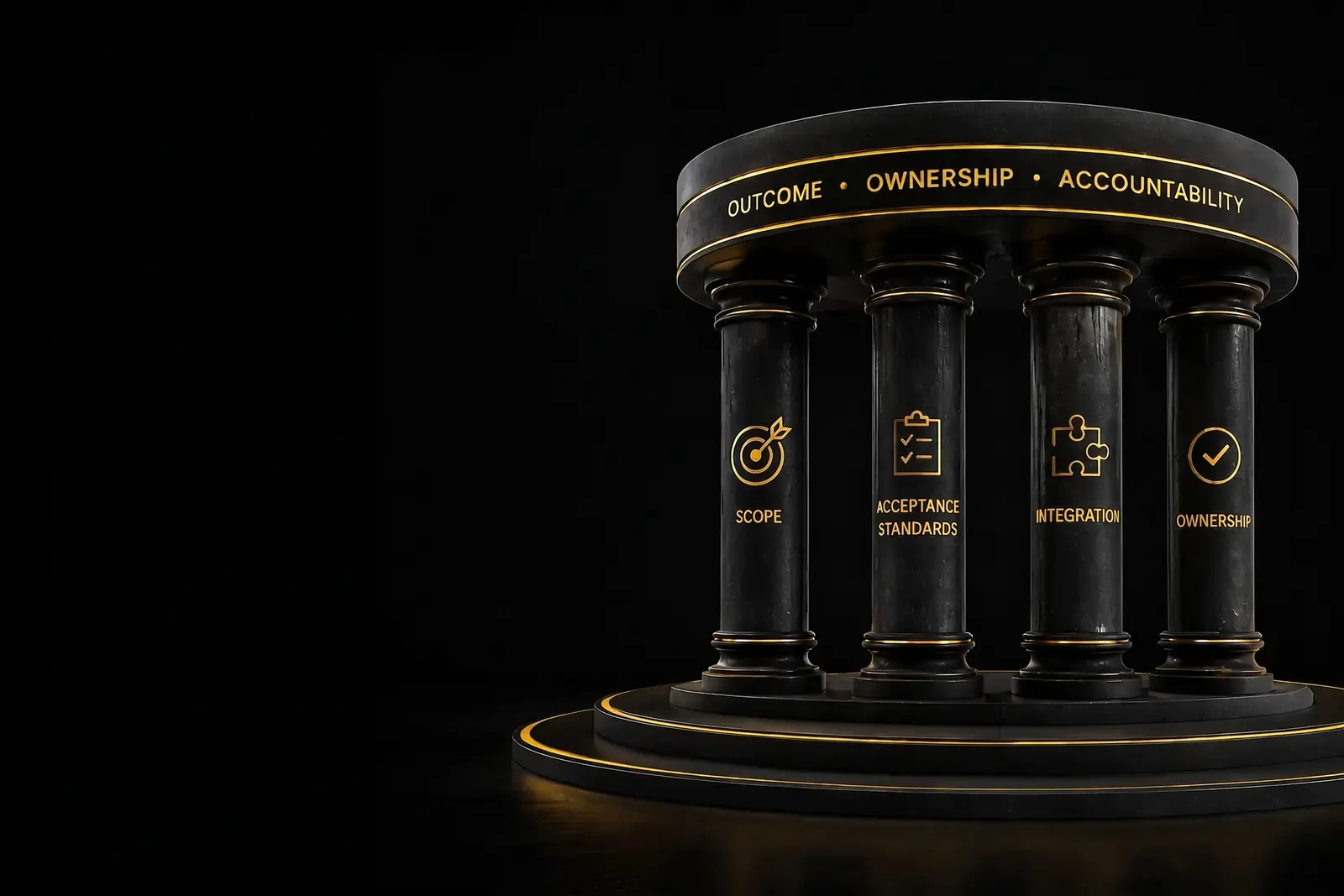
The campaign is ready. Creative has been approved. Sales is asking for faster follow-up. And Salesforce, HubSpot, or the rest of your CRM stack already contains the customer and pipeline data needed to make it happen.
What is often missing is an AI agent that can act on that information. It should be able to route a new lead, prepare the right follow-up, update an opportunity, or flag an upcoming renewal, without creating another queue for marketing ops to monitor.
That distinction matters. Growth teams do not need another impressive chatbot demo that works in isolation. They need an agent that understands how their go-to-market process actually runs and can update CRM records accordingly.
A successful CRM AI integration starts by treating the agent’s role, data access, and human handoffs as part of the product itself. unosquare defines those expectations alongside the scope and price before development begins, so the finished system fits the CRM motion your team already uses.
What Growth Teams Actually Need From a CRM Agent
For marketing, revenue operations, and demand generation teams, the most valuable use cases are usually practical and easy to recognize:
-
Lead routing: Score and assign inbound leads so each sales rep receives a qualified opportunity with useful context, not another name in a shared inbox.
-
Campaign follow-up: After a webinar, nurture sequence, or event, record next steps and update campaign status in the CRM without forcing marketing ops to rebuild lists manually.
-
Renewal and expansion support: Identify accounts that may be at risk, suggest the next best action, and send the right information to the person who owns the relationship.
None of these workflows succeeds on intelligence alone. The agent must read the fields your team trusts, respect existing permissions, write information back in the expected format, and trigger the same notifications your current workflows depend on.
In other words, the product is not “AI next to the CRM.” It is an agent participating in customer relationship management alongside the rest of your team.
When that behavior is clearly defined at the outset, marketing and sales can agree on what success looks like, and the development team has a finish line it can actually test.
A Simple Integration Ownership Map
Before discussing architecture, answer three questions: What is the agent expected to do? What data can it use? What happens after it acts?
| Define this | What it means in practice | Why it matters to growth teams |
|---|---|---|
| Agent responsibility | Specific workflows such as routing, following up, renewing, or summarizing | Marketing and sales work from the same definition of success |
| Data boundaries | The CRM objects and fields the agent may read or update | Pipeline data stays reliable and campaigns are less likely to break |
| Handoff behavior | Who is notified, when a status changes, and when a person takes control | Leads and accounts continue moving after the agent completes its part |
Technical decisions (native tools, middleware, APIs, and integration layers) should support these answers. If an architecture cannot clearly explain who owns the work, the data, and the handoff, it is not ready to approve.
See the Agent Write Back Before Committing to the Build
Most growth stacks look straightforward in a diagram. Production is rarely that tidy. Custom fields, lifecycle stages, campaign membership rules, and API rate limits tend to reveal themselves only when a real integration begins working with real CRM data.
unosquare uses a week-one prototype to test the connection in your environment. It exposes those constraints early and helps determine which integration approach fits your timeline, ownership requirements, and existing workflows. See how the week-one prototype works before committing to an architecture or budget.
Choose an Integration Approach That Fits Your Priorities
There are four common ways to connect an AI agent to CRM and support systems such as Salesforce, HubSpot, Zoho CRM, and Zendesk. The best option depends on how much control you need, how many systems are involved, and how quickly the workflow needs to go live.
The estimates below are general industry benchmarks for each type of architecture. unosquare delivers custom API and unified API integrations within its standard 8–12 week build timeline.
| Architecture | Typical Industry Timeline | Code Ownership | Best Fit |
|---|---|---|---|
| Custom API | 8–12 weeks | Full | Teams that need proprietary logic and long-term independence |
| iPaaS / Middleware | 4–8 weeks | Partial | Speed-first projects using tools such as Zapier or Make to connect systems quickly |
| Native CRM Agent | 2–6 weeks | None | Straightforward automations contained within a single CRM ecosystem |
| Unified API Layer | 8–12 weeks | Full | Regulated or complex environments that work across several data sources |
If the launch date is firm and long-term control matters, a custom API or unified API approach is often the strongest fit. Middleware can be useful when the immediate priority is speed, although the agreement should still clarify who owns the underlying logic if platform independence may matter later.
Native CRM agents are a sensible choice for contained workflows that do not require custom qualification, routing, or compliance rules.
Whichever approach you consider, ask two direct questions: How is it priced, and what will your company own when the engagement ends? Clear answers prevent unwelcome surprises once the system becomes part of the growth engine.
What Good Looks Like in Production
The best way to evaluate a CRM AI integration is to watch a real workflow run from beginning to end. Three examples make the difference between a promising demo and a production-ready system especially clear.
Lead routing. A form submission or enrichment event enters the CRM. The agent scores the lead, assigns the correct owner, and records the reason for its decision so the sales rep can act with context. A successful test confirms the right owner, the right lifecycle stage, and a measurable first-touch window.
Campaign follow-up. After a webinar or nurture campaign, the agent updates campaign membership, prepares the next message, and records the new status. Marketing ops does not need to reconstruct segments late at night, and prospects do not receive duplicate outreach. Success means the right members were updated and every follow-up was logged once.
Renewals and expansion. As an account approaches renewal, the agent detects risk or expansion signals, recommends a next step, and alerts the account owner with the relevant CRM history attached. A successful workflow leaves no ambiguity about which accounts need attention, who owns the next action, or why the recommendation was made.
This is where the return becomes visible: qualified leads receive faster attention, sales spends less time on repetitive administration, campaign data stays cleaner, and more renewals receive timely coverage without adding another manual queue.
Where Different Teams Usually Start
AI agents can work with CRM systems across industries. The more useful question is which first use case can improve a meaningful KPI without taking on unnecessary complexity.
The estimates in the final column reflect the overall complexity typical of each use case, not the length of unosquare’s individual build phases.
| Industry | Common Agent Capability | First KPI to Track | Typical Integration Complexity |
|---|---|---|---|
| Hi-tech | Lead generation automation, lead scoring, and opportunity summaries | Time from lead capture to the first qualified sales touch | Lower |
| Media | Content tagging and audience personalization | Engagement rate on recommended content | Lower–Medium |
| Healthcare | Patient intake automation and triage | Administrative hours per intake cycle | Medium–Higher |
| Financial Services | Compliance-aware routing, KYC prompts, and fraud detection | Time required to complete identity verification | Higher |
| Manufacturing | Service-ticket classification, escalation, and inventory alerts | Mean time to resolution | Medium |
| Professional Services | Proposal drafting and client intake | Time saved per proposal cycle | Lower |
The right first project is rarely the most ambitious one. It is the workflow with enough volume and friction to produce a visible result, but with boundaries clear enough to test safely.
How to Measure the ROI of a CRM Agent
CRM agents tend to create value in four areas: faster lead qualification, fewer repetitive sales touches, shorter support resolution times, and a better customer experience.
To measure any of them honestly, establish a baseline before launch and define how the new workflow will be tested. Do this before a live campaign or sales process depends on the agent, not after.
| KPI | Before | After | What Must Be in Place |
|---|---|---|---|
| Lead Qualification | Manual triage that can take days | Automated routing and a faster sales handoff | Reliable lead fields and confirmed API access |
| Sales Touch Reduction | Repetitive manual outreach at high volume | Fewer touches needed per qualified lead | An acceptance matrix with agreed accuracy targets |
| Support Resolution Time | Tickets classified and routed by hand | Faster routing and a shorter resolution window | Representative staging data, integration tests, and monitoring |
| Customer Satisfaction | Baseline experience under the manual process | Measured improvement after automation | A controlled rollout and clearly defined success metrics |
Automation can remove much of the manual review that still slows lead scoring and pipeline analysis. For a board or investment committee, start with the annual cost of the current process: staff hours, response delays, lost opportunities, and avoidable errors. Compare that figure with the cost of the build and the expected payback period.
The calculation does not need to be elaborate, but it does need to be grounded in the way the team works today. Clear acceptance criteria also prevent a later debate about whether the system delivered what was promised.
What to Put in Scope Before Development Starts
A fixed fee is only useful when it is tied to a clearly defined outcome. Before development begins, three areas should be documented in plain language.
Testable acceptance criteria. Describe the expected behavior in CRM terms. For example: route leads above a defined score, update campaign membership when a condition is met, or create a renewal task a set number of days before expiration. Payment milestones should be tied to passing those tests, not to an informal chatbot demonstration.
A specific ownership transfer. The agreement should identify the source code, build and deployment configurations, data pipelines, documentation, and operational guides you will receive. It should also state when ownership transfers.
Required compliance evidence. Data maps, audit records, and access-control configurations should be treated as deliverables, each with its own due date. This is particularly important when customer data moves between the CRM, marketing platforms, support tools, ERP systems, or a data warehouse.
When these expectations are explicit, the team can work toward a shared release date instead of debating what “working” means near the end of the project.
Security and Compliance Evidence You Still Need
Moving faster does not reduce your privacy or security obligations. CRM notes, conversation histories, uploaded documents, and free-form text may all contain sensitive customer information.
The statement of work for an AI agent connected to your CRM should require the following evidence as part of acceptance:
| Compliance Artifact | What It Should Show |
|---|---|
| Data flow documentation | Where customer data travels, how it is processed, and who can access it |
| Audit logs | Records of agent and user activity that support GDPR, HIPAA, or applicable financial requirements |
| Access-control test results | Evidence that role-based permissions behave correctly for every user group |
| Encryption standards | The protocols used to protect data at rest and in transit |
| Vendor compliance attestations | Certifications and assurances that apply specifically to this integration |
Unstructured information, including conversation histories, free-form notes, and documents retrieved from a knowledge base, also needs clear retention and deletion rules. For GDPR and CCPA, document the processing roles and breach-notification timelines before launch.
If webhooks move regulated data between systems, include every connection on the data-flow map and record the permissions it requires. These details are much easier to address during design than after a security review blocks deployment.
A Delivery Cadence That Keeps the Launch on Track
A custom CRM agent typically takes 8–12 weeks to deliver. The schedule below shows a full 12-week engagement; for smaller scopes, the build phase is shorter. Your team should see evidence of progress at each stage rather than waiting until the final week to discover whether the integration works.
Week 1: Discovery. A working prototype demonstrates the core CRM connection, often lead routing or campaign write-back. It also exposes API constraints, rate limits, and data issues while producing the acceptance tests that will anchor the fixed-fee agreement. This is the go/no-go point before the full budget is committed.
Week 2: Solution architecture. The team finalizes the scope, price, timeline, data mappings, environments, and Feature Acceptance Matrix. Development starts once those decisions are approved.
Weeks 3–11: Build. Code is committed to your repository throughout development. Payments are released at agreed acceptance gates. If a genuinely new requirement appears, it goes through a formal change-order process before additional work begins.
Week 12: Deployment and handoff. A tagged release is delivered to your repository along with monitoring, operational documentation, and a transition plan. Your team should be able to run the lead-routing, follow-up, or renewal workflow without depending on the original development vendor for routine operations.
How unosquare Builds CRM Agents You Can Own
AI agents range from simple chat interfaces to systems that retrieve information, reason across several inputs, and take multiple actions against live CRM data. Large language models, natural language processing, and generative AI make these capabilities possible. What makes them dependable in production, however, is not the name of the framework. It is the clarity of the agent’s role, permissions, tests, and handoffs.
A chatbot built entirely with Salesforce or HubSpot’s native tools may be ready in a matter of weeks. A fully custom AI agent connected to Zendesk, an ERP platform, and a data warehouse requires more careful integration design, but it also gives the company greater long-term control. unosquare delivers both types of project through the same fixed-fee model.
The unosquare.ai process begins with a working prototype and documented acceptance tests. Those results are used to define the price, scope, and meaning of “done” before the full build begins. Custom builds start at $100K.
Code is committed to the client’s repository from the first sprint. Build and deployment configurations, operating guides, and supporting documentation transfer at handoff. If the project takes longer than the agreed timeline to deliver the defined scope, unosquare absorbs that additional delivery cost.
| What Matters | Typical Vendor Approach | unosquare Approach |
|---|---|---|
| Evidence before commitment | Optional paid discovery or a demo without measurable acceptance criteria | A working week-one prototype with documented tests |
| Payment structure | Broad milestones or informal demo approval | Staged payments tied to accepted results in staging |
| Code and configuration delivery | Vendor-hosted or provided only at the end | Committed to the client’s repository throughout the build |
With more than 16 years of engineering experience, more than 2,500 completed projects, and a client NPS in the top 1% of B2B services, unosquare works with teams that need a defined CRM capability running in production, not another pilot sitting beside the pipeline.
See the Integration Work Before Agreeing to the Full Build
In the first week, unosquare produces a working prototype of an AI agent connected to your CRM. It is not a proposal or a slide deck. It is a functional workflow with acceptance criteria attached.
You can watch a lead get routed, a campaign follow-up write back to the correct record, or a renewal handoff reach the right owner before the full build is priced. There is no commitment required to commission the prototype and see the integration in action.
References
-
Kaza, J. P., Chung, D. J., Plotkin, C. L., Sarvari, S., Stanley, J., & Valdivieso, M. (2025, September 15). How successful sales teams are embracing agentic AI. Harvard Business Review. https://hbr.org/2025/09/how-successful-sales-teams-are-embracing-agentic-ai
-
Shapiro, J. (2024). Five ways predictive AI can improve sales performance management. MIT Sloan Management Review. https://sloanreview.mit.edu/article/five-ways-predictive-ai-can-improve-sales-performance-management/
-
Salesforce. (n.d.). API request limits and allocations. Salesforce Developers. https://developer.salesforce.com/docs/atlas.en-us.salesforce_app_limits_cheatsheet.meta/salesforce_app_limits_cheatsheet/salesforce_app_limits_platform_api.htm
-
Salesforce. (n.d.). Agentforce and generative AI. Salesforce Developers. https://developer.salesforce.com/docs/ai/agentforce/overview
-
HubSpot. (2026, July 16). Manage agents in Breeze studio. HubSpot Knowledge Base. https://knowledge.hubspot.com/ai/use-assistants-and-agents-in-breeze-studio
-
Ghoshal, A. (2024, September 12). Salesforce unveils Agentforce to help create autonomous AI bots. CIO. https://www.cio.com/article/3518646/salesforce-unveils-agentforce-to-help-create-autonomous-ai-bots.html
-
Wilson, H. J., Mulani, N., & Alter, A. (2016, May 17). Sales gets a machine-learning makeover. MIT Sloan Management Review. https://sloanreview.mit.edu/article/sales-gets-a-machine-learning-makeover/
-
European Parliament & Council of the European Union. (2016). Regulation (EU) 2016/679 (General Data Protection Regulation). GDPR-info.eu. https://gdpr-info.eu/
-
State of California, Department of Justice. (n.d.). California Consumer Privacy Act (CCPA). Office of the Attorney General. https://oag.ca.gov/privacy/ccpa
Our Editorial Standards
unosquare is committed to providing accurate, well-researched B2B software delivery information. Our editorial team reviews all content for accuracy and relies on reputable sources including industry analysts, technology standards bodies, academic institutions, peer-reviewed research, and established enterprise software providers. All references are verified for accessibility and relevance at the time of publication.
We strive for accuracy in everything we publish, but we recognize that mistakes can occur and information can become outdated as delivery models, pricing benchmarks, and technology standards evolve. If you notice an error or outdated information, please contact us so we can review and update our content.
Important Disclaimer
The information provided on this website is for general informational and educational purposes only. It is not intended as, and should not be interpreted as, professional legal, financial, or technical implementation advice. Always consult with qualified technology advisors, legal counsel, or appropriate professionals before making decisions about software investments, vendor selection, or delivery models. unosquare does not assume liability for actions taken based on the information presented on this site.
Frequently Asked Questions
- How is scope defined before development, and who carries the risk if the estimate is wrong?
- The week-one prototype establishes what "done" means before the fixed-fee agreement is signed. It produces a Feature Acceptance Matrix that lists what the agent will do, how each behavior will be tested, and what counts as a passing result. Under a fixed-fee agreement, the vendor carries the risk of underestimating the work required to deliver the approved scope. If an agreed feature takes longer than expected, the vendor absorbs that cost. If your team requests a genuinely new capability, it moves through a formal change-order process and requires approval before any additional charge is incurred.
- What do we receive during the first week of discovery?
- You receive a working prototype of the core integration: a functional demonstration of the AI agent connecting to your CRM, not simply a presentation or design document. The prototype includes acceptance criteria that define pass or fail for each feature. It also reveals CRM API constraints, gaps in data readiness, and integration challenges before the price for the full build is finalized.
- What will we own when the engagement ends?
- You own the source code, build and deployment configurations, data pipelines, and operational documentation. That ownership is written into the agreement and transfers at handoff. The code is committed to your repository throughout development, so your team has visibility before the project closes. You can later maintain, extend, or migrate the system without being required to return to the original vendor.
- Can the agent work with our current systems and data?
- Yes. The prototype is designed to test the realities of your environment before the full scope and price are approved. For a CRM integration, that includes validating API access, checking data quality, testing identity and permission settings, and identifying applicable compliance requirements. Whether your CRM and support stack runs on Salesforce, HubSpot, Zoho CRM, Zendesk, or another platform, the team selects a custom API, middleware, native, or unified-layer approach based on your systems, timeline, and ownership needs.
- When does a custom AI agent make more sense than an off-the-shelf product?
- A custom agent is usually justified when the way it behaves contributes to your competitive advantage. Your qualification model, routing rules, compliance process, terminology, or cross-system workflow may be difficult to reproduce in a packaged product without extensive workarounds. At sufficient scale, a purpose-built system can become both simpler to operate and more economical. An off-the-shelf product remains the better choice when your workflow closely matches a standard use case and you are comfortable adopting the vendor's data model, permission structure, and long-term pricing.

Ivan Lomelin
Head, Agentic Practice
Ivan Lomelin is Head, Agentic Practice at Unosquare. He writes about scoping, planning and delivering software projects, from first idea to production.